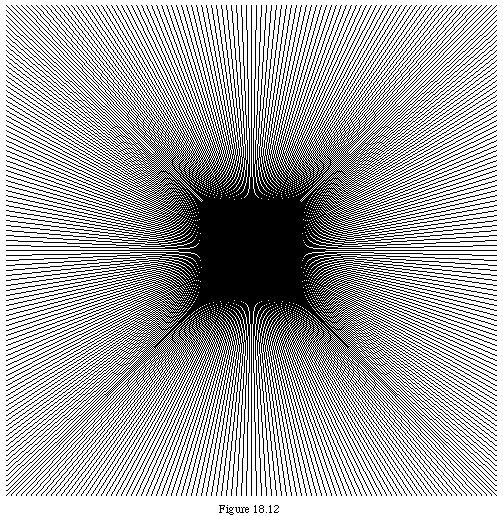
A variety of interesting patterns can be achieved by the simple expedient of drawing lines from one side of a shape to the other. Such patterns are commonly known as string art, after the corresponding figures made by attaching coloured threads to nails driven into a board. If the distance between the lines relative to the size of the drawing rectangle is carefully calculated, interference effects can be obtained. The program in this section is presented with little explanation as a simple example of such patterns, and the student is invited to elaborate. The shape can be changed or the step size altered to produce somewhat different effects.
Some things that are different from previous examples are:
MODULE Moire;
(* Draw a Moire pattern in a graphic window
   by R. Sutcliffe
   modified 1998 06 22 *)

FROM GraphPaper IMPORT
  CoordSystem, SetCoordSystem, GetDimensions, MoveTo, LineTo;

CONST
  step = 5;  (* determines the granularity of the pattern *)
  (* ensure space left is even number of steps *)
  (* leave margin; make it square for easy coordinates *)
  leftAndTop = 8 * step;
  (* do a border within the window all around *)
  border = 4 * step;
  first = leftAndTop + border; (* begin right in the corner *)

VAR
  maxX, maxY, startX, startY, endX, endY,
  bottomAndRight, last : INTEGER;

BEGIN
  SetCoordSystem (MacWin);
  GetDimensions (maxX, maxY);
  (* set lower right corner to maximum square that will fit on the screen *)

  bottomAndRight := maxY;
  IF bottomAndRight > maxX
    THEN
      bottomAndRight := maxX;
    END;

  (* ensure size is multiple of number of steps *)
  bottomAndRight := bottomAndRight - (bottomAndRight MOD step);

  (* same border as at topleft *)
   last := bottomAndRight - border;
   startX := first;
   endX := last;

 (* draw edge to edge lines in both dimensions *)
  FOR startY := first TO last BY step
    DO
      endY := last - startY + first;
      MoveTo (startX, startY);
      LineTo (endX, endY);
    END; (* for *)
  startY := first;
  endY := last;
  FOR startX := first TO last BY step
    DO
      endX := last - startX + first;
      MoveTo (startX, startY);
      LineTo (endX, endY);
    END; (* for *)

END Moire.
When the program Moire was run with these settings, the pattern produced was as shown in figure 18.12.